
I Have Prepaid Reports/Prepaid Funds in My Account. I’m Trying To Check My VIN, But It Still Asks Me To Pay. Why?
This is how to use your prepaid reports/funds:
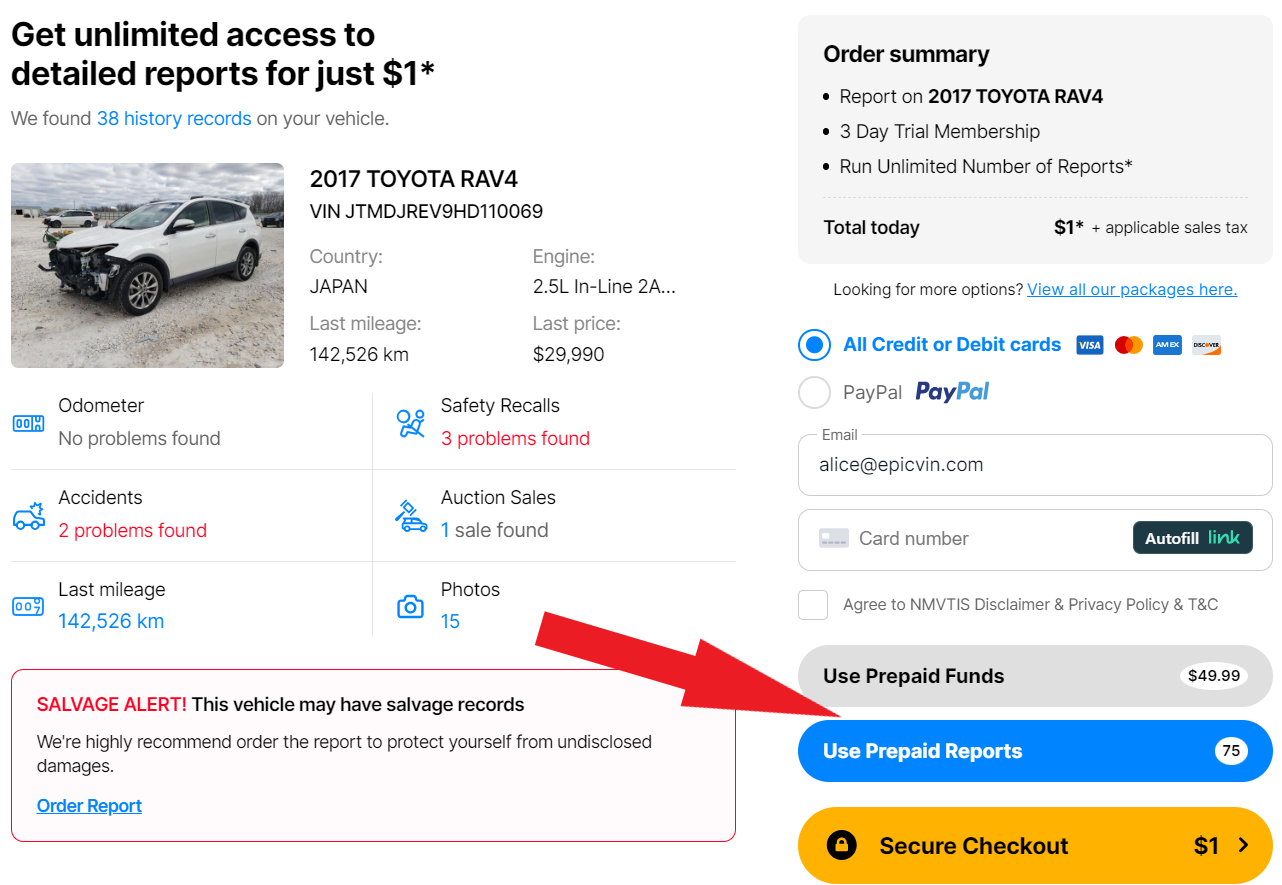
Make sure you are logged in to your account. Then enter a vehicle VIN number that you would like to search, press Enter. After updating the web page, press the blue button "Use Prepaid Reports" or the gray button "Use Prepaid Funds":
Make sure you are logged in to your account. Then enter a vehicle VIN number that you would like to search, press Enter. After updating the web page, press the blue button "Use Prepaid Reports" or the gray button "Use Prepaid Funds":
In a second, you will see your report.