How can I cancel the subscription?
How can I cancel the subscription on your website?
- To cancel your subscription, please follow these steps:
- Log in to your EpicVIN account.
- Navigate to the 'Subscriptions' section, which can be found in the top right corner of the website:
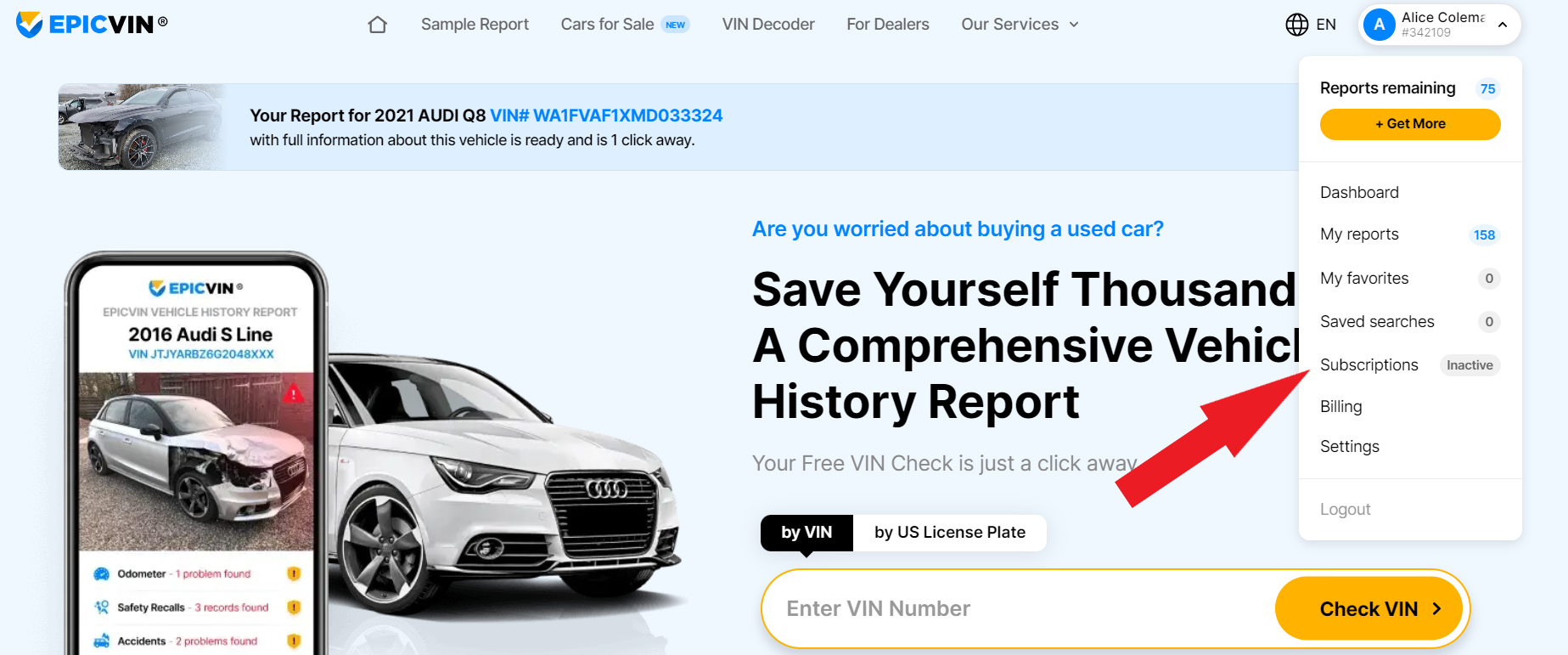
-
- Find your active subscription details and select the 'Cancel Subscription' option:
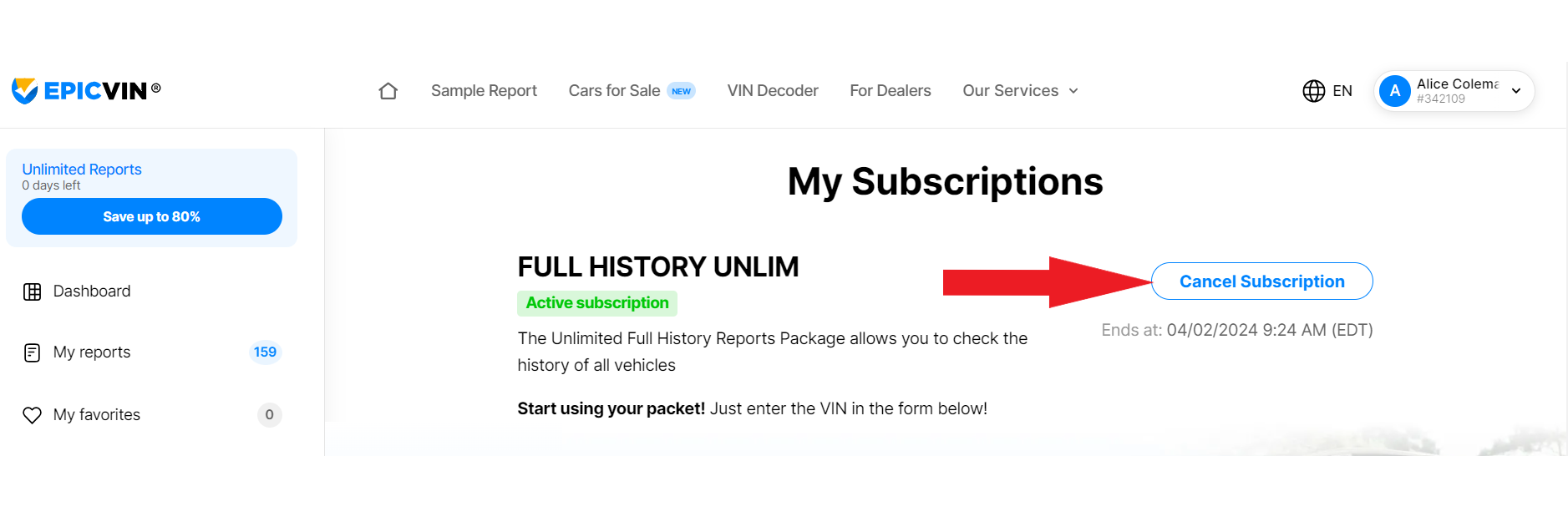
- Please note that your subscription must be canceled before the next billing cycle to avoid further charges. If you encounter any issues or need further assistance, please contact our customer support team for help.
